How to Add PWH One-Touch Web Clip to iPhone or iPad
- Type the following web address in Safari:
http://www3.ha.org.hk/pwh/iphone.htm


- Tap the "Go To" icon
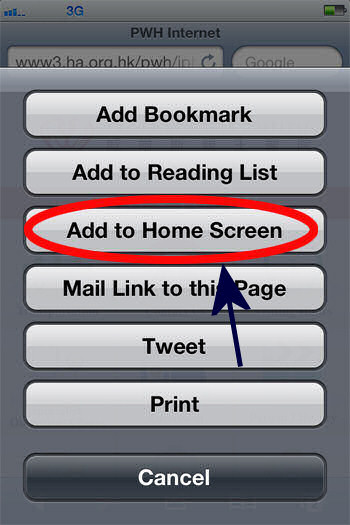
 at the bottom of the Safari window, then tap "Add to Home Screen".

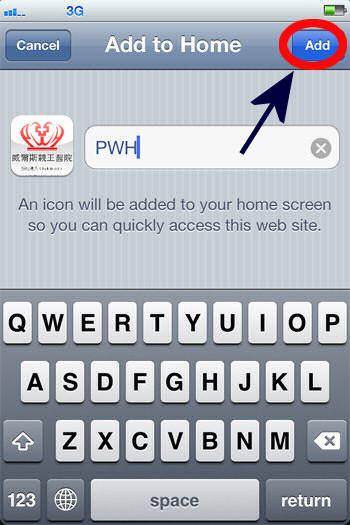
- Enter "PWH", then tap "Add".

- Click “PWH icon”, the "One Touch" index page can be shown.